Skipped service is the expensive kind
A cracked impeller cooks an engine. Wasted zincs eat a lower unit. Boat Service Tracker keeps the whole schedule in one place, so nothing slips a season.
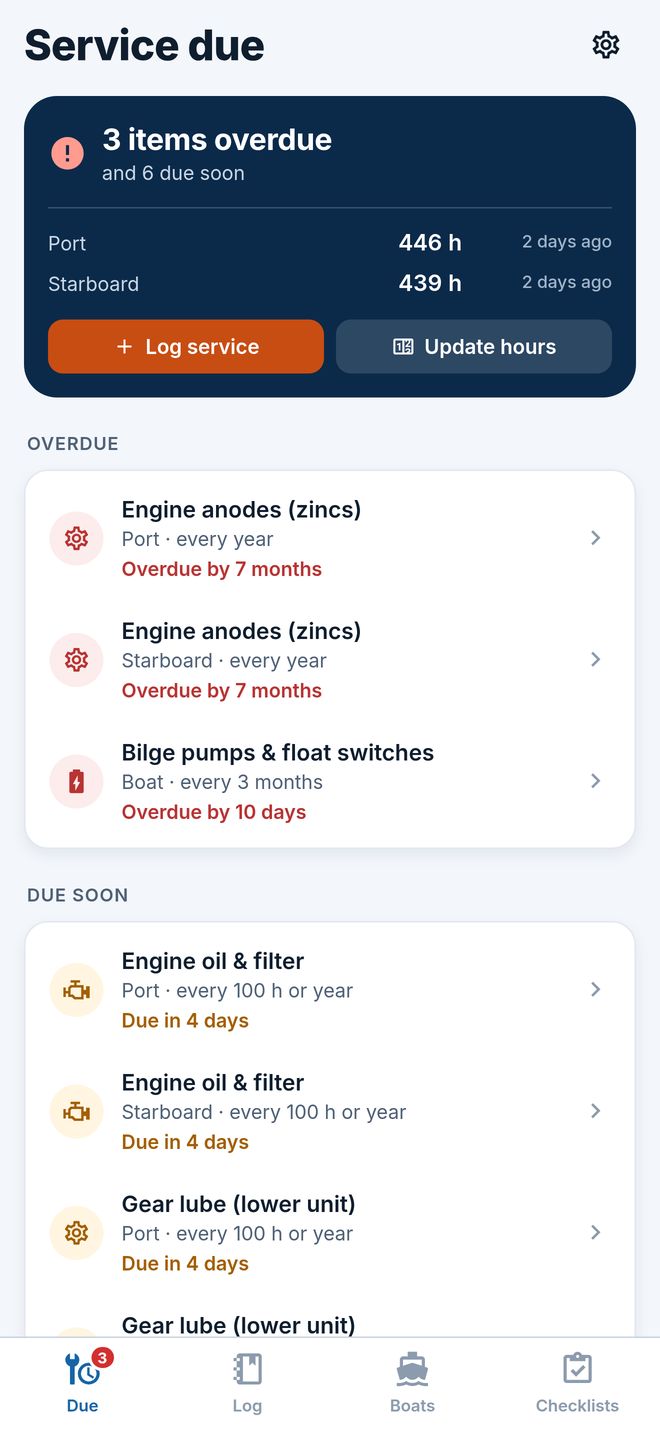
Due by hours or by date
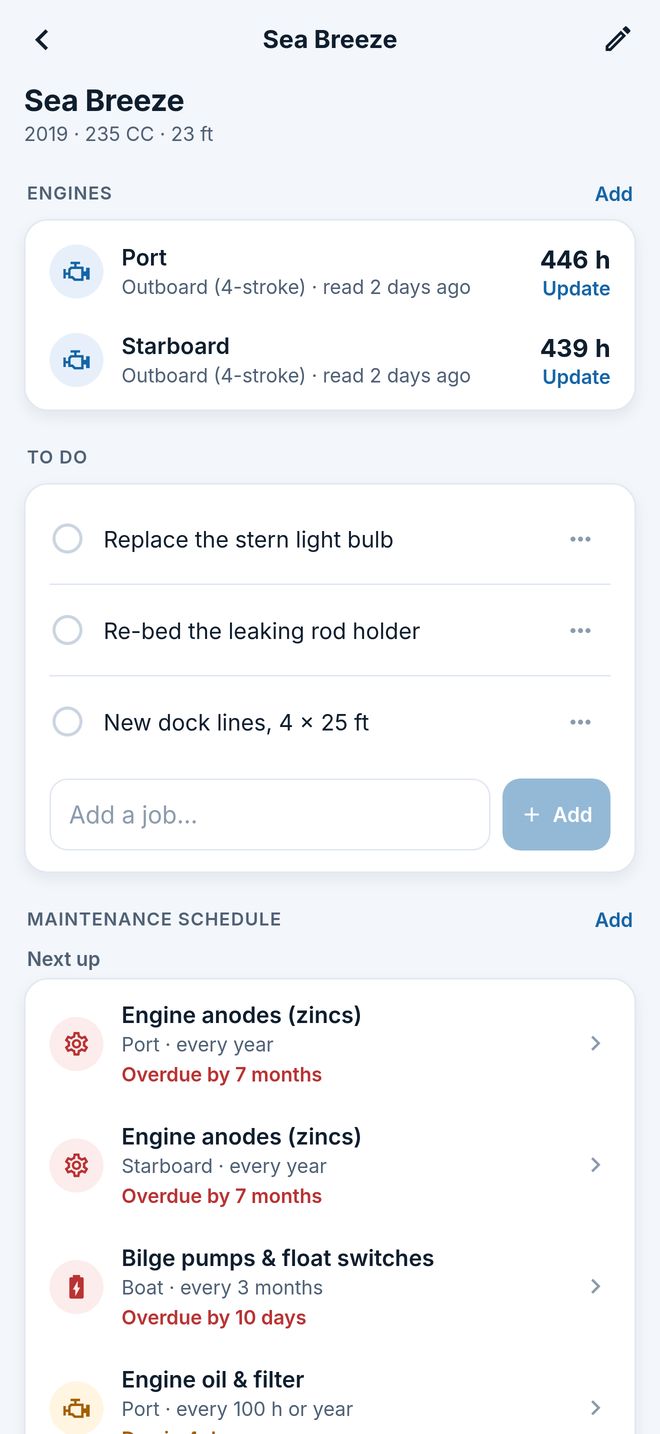
Every item comes due every so many engine hours or months, whichever is first. Read the hour meter and the list re-sorts: overdue, due soon, coming up.
A schedule that builds itself
Pick the engine type — outboard, sterndrive, inboard gas or diesel, jet, generator, electric — and the right items arrive with typical intervals. Change any of them.
Winterize, launch, haul-out
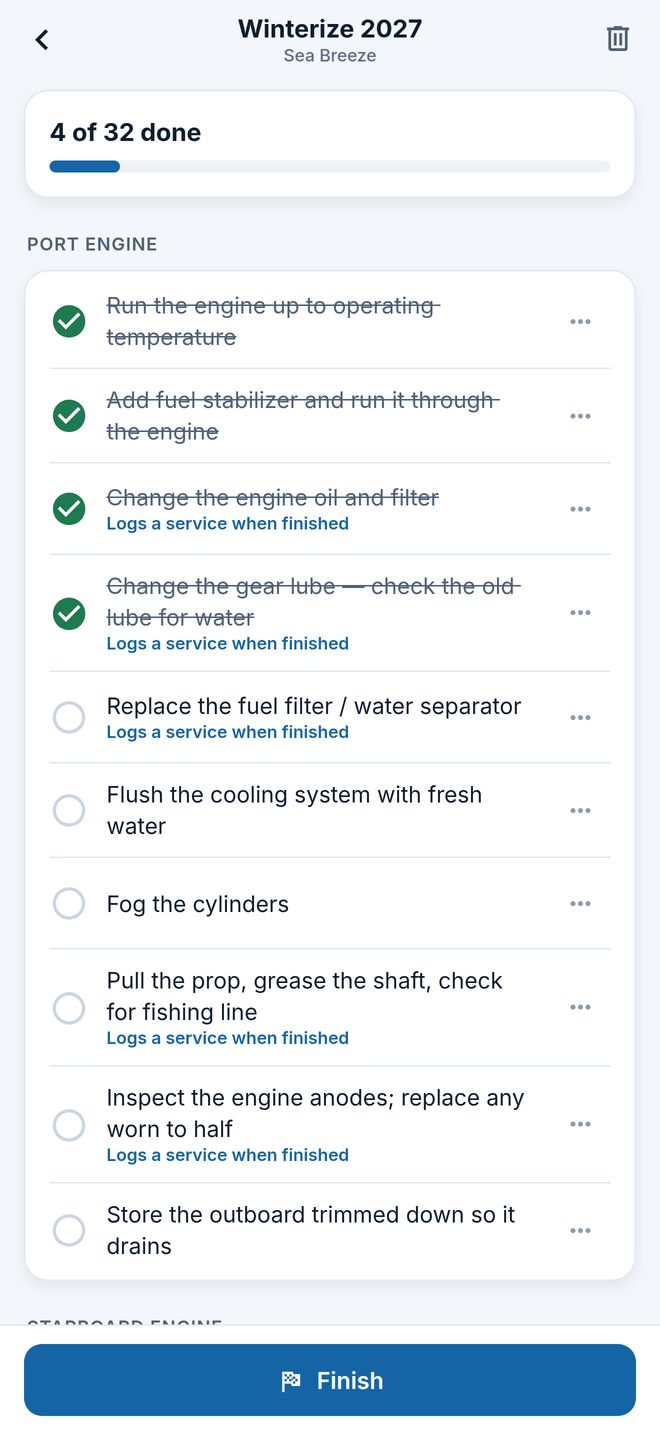
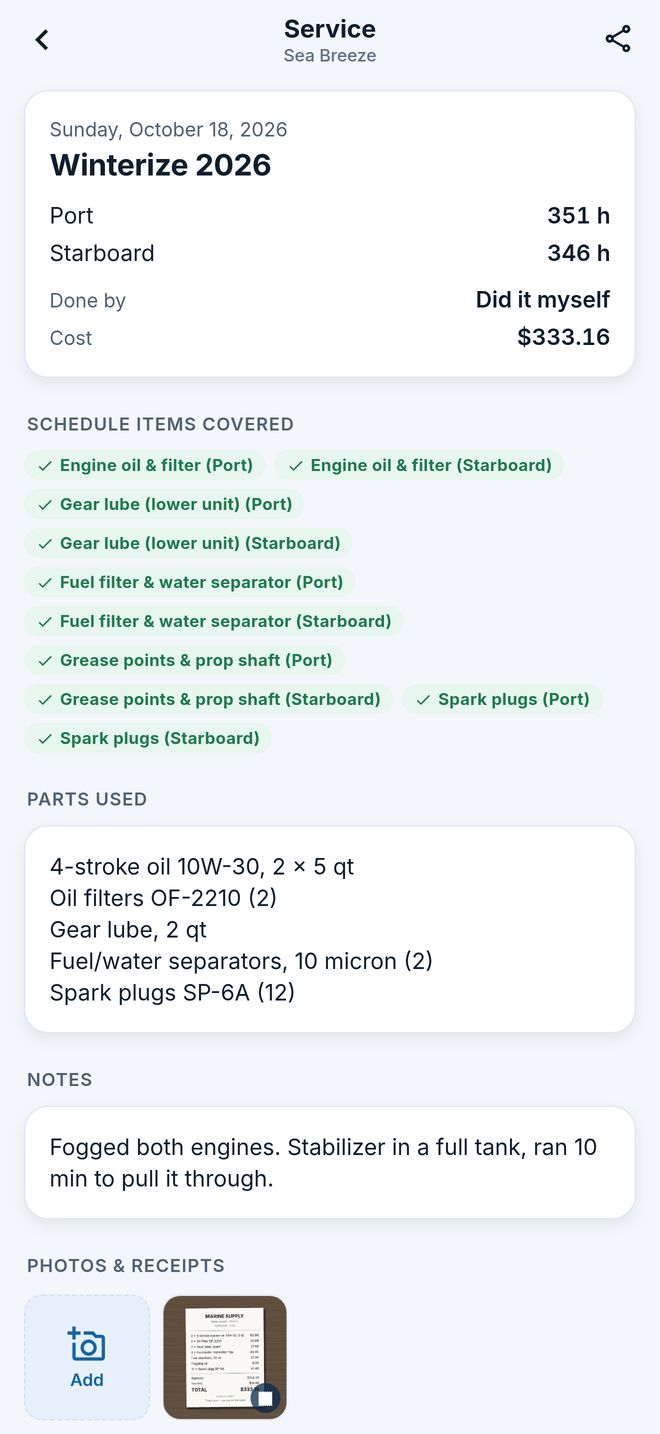
Step-by-step seasonal checklists built for your boat and every engine on it. Finishing one logs the services it covered, so the schedule stays right.
Receipts stay with the boat
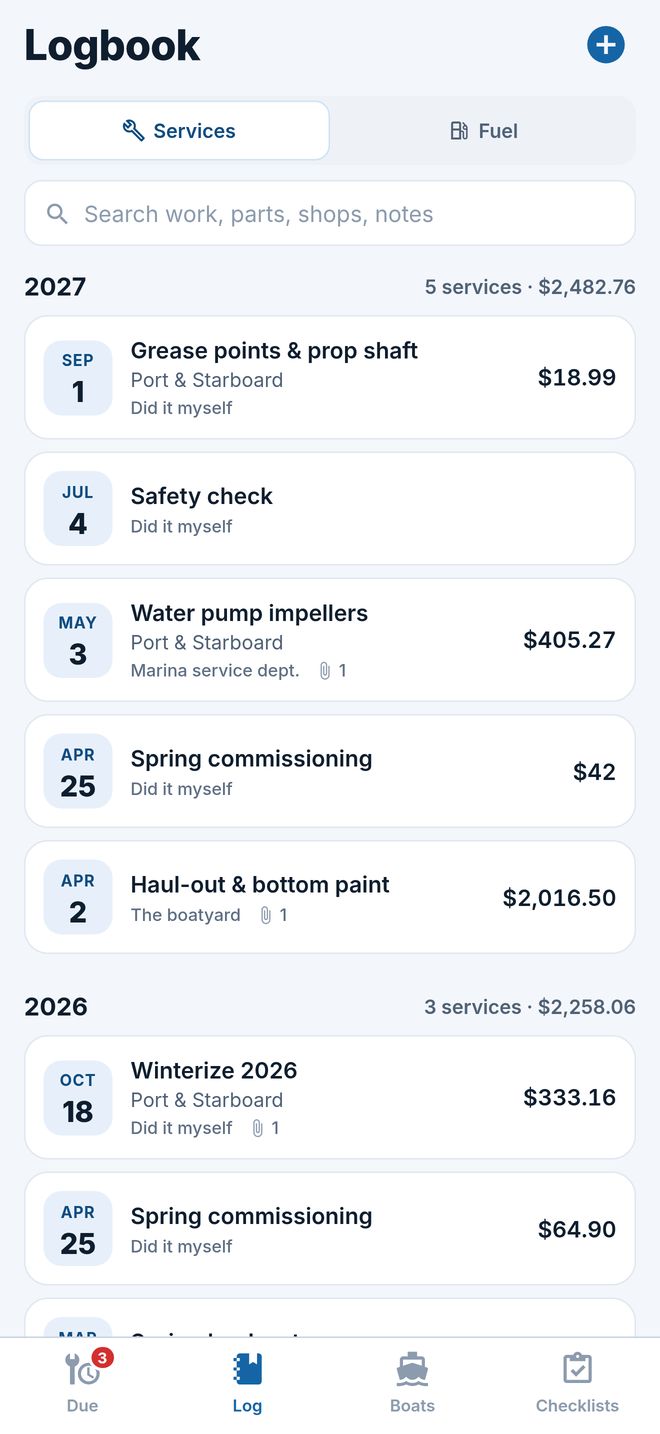
Photograph the receipt, the impeller you pulled, the zincs before and after, or attach the shop's PDF. Keep the registration and survey with the boat too.
A record that sells the boat
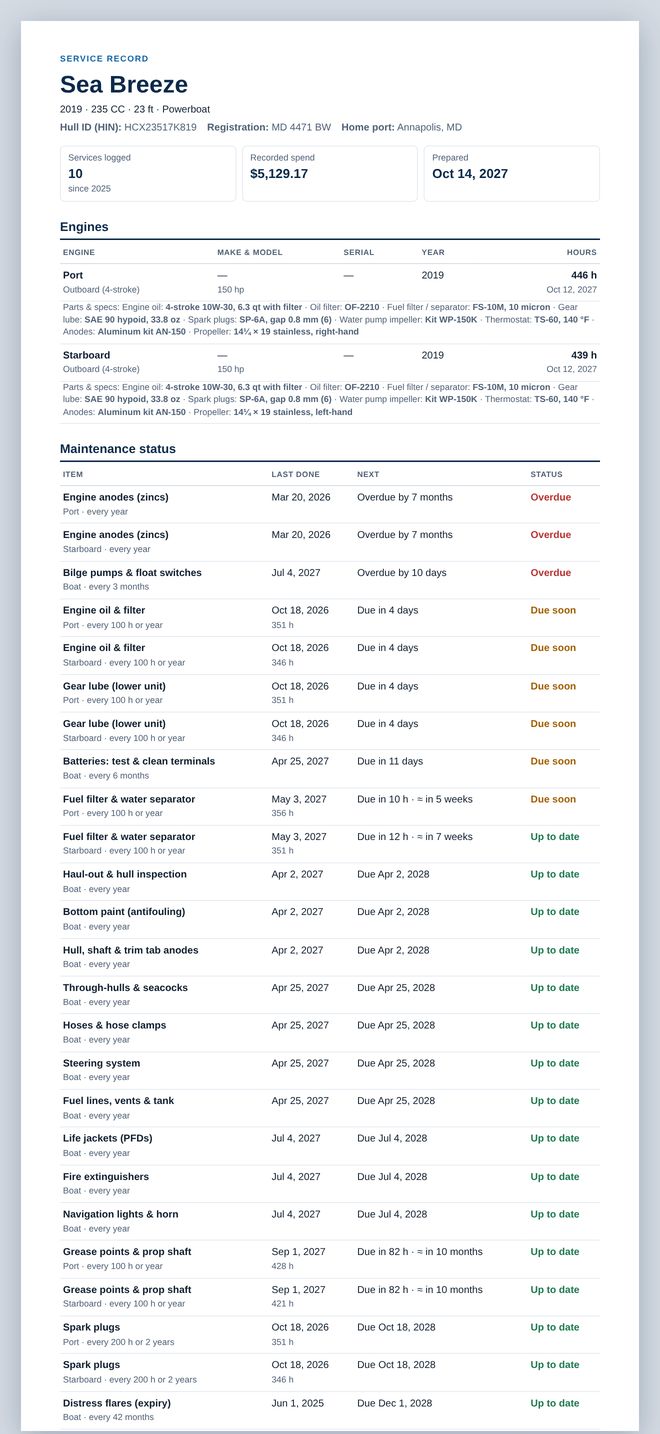
Export a clean PDF service record — engines and hours, the status of every item, the full history with photos — for a buyer, a surveyor or your insurer.
Reminders that don't nag
A heads-up a week before something comes due and again on the day, plus a nudge to read the hour meter. One a day at most — and only if you want them.
Fuel log and burn rate
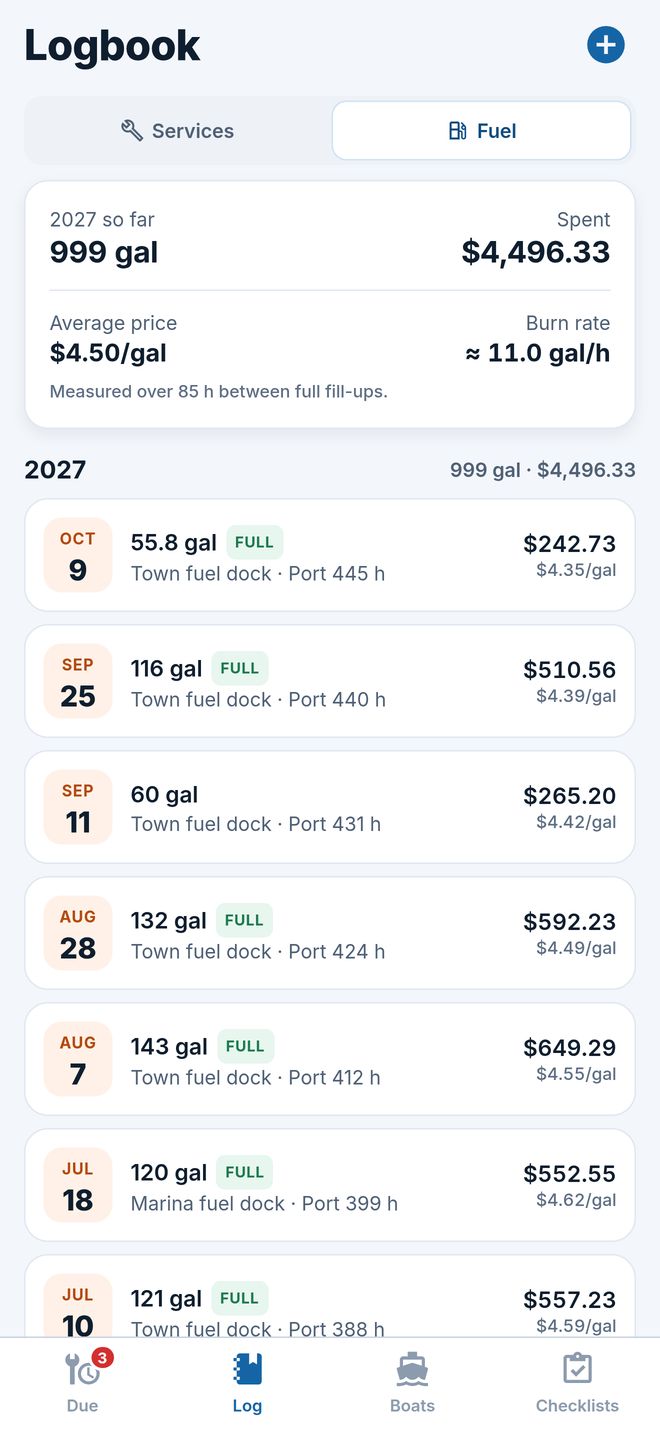
Log each fill-up: what the season's fuel costs, the price you paid — and, with the hour meter read at the pump, what the boat burns per engine hour.
Parts & specs for every engine
The oil and how much it takes, filter, impeller and plug part numbers, gear lube, anodes, the prop — one card per engine, ready at the parts counter.
A to-do list for the rest
The cracked deck drain, the flickering nav light: jobs that aren't on a schedule go on the boat's list, and a finished one is logged in one tap.
Twin engines, each on its own clock
Each engine keeps its own hours and its own schedule. Service both at once and it's one entry, with each engine's reading.
The maintenance you skip is the maintenance that costs the most.
An impeller is a small part; an overheated powerhead isn't. Zincs are cheap; a corroded lower unit isn't. Knowing what's due — before it's overdue — is the whole point.
A documented service history is worth real money.
Buyers and surveyors ask for records. Hand them a dated history with hours, parts and receipts, instead of a shoebox and a shrug.
Free for your boat. Pro for the fleet.
Nothing you save is ever locked away — over a free limit, every record stays viewable, editable, exportable and backed up.
Free
Everything one boat needs
- One boat, all its engines and the full schedule
- The service log, fuel log and hour-meter tracking
- Seasonal checklists and reminders
- 25 photos and receipts
- Spreadsheet export and backups
Supported by ads.
Pro
Monthly, yearly with a free trial, or once for life
- Unlimited boats — the dinghy and the PWC too
- Unlimited photos and receipts
- The PDF service record for resale
- Spending by category, year by year
- No ads
Billed by the App Store or Google Play. Cancel any time in your store account.
Good to know
Is Boat Service Tracker free?
Yes. The free version keeps one boat with its full maintenance schedule, service and fuel logs, seasonal checklists, reminders, spreadsheet export, backups and up to 25 photos and receipts. Pro — a subscription or a one-time lifetime purchase — adds unlimited boats and photos, the PDF service record and spending by category, and removes ads.
Which engines does it know?
Four- and two-stroke outboards, sterndrives, gas and diesel inboards, jet drives, generators and electric motors, each with its own items and typical intervals — plus the hull, systems, safety gear, sail rig and trailer. Change any interval, pause what doesn't apply, add your own.
How does it know when service is due?
Every item is due every so many engine hours and/or months after it was last done, whichever comes first. Enter the hour meter now and then, or with each service, and the Due list updates — with an estimate of when the hours will run out at your engine's recent pace.
Can it track fuel?
Yes. Log each fill-up — how much, what you paid and where — to see what the season's fuel costs and your average price. Fill to the top and read the hour meter at the pump, and it works out what your boat burns per engine hour.
Does it handle twin engines?
Yes. Each engine has its own hours and its own schedule, and a service done on both is one entry with each engine's reading.
Do I need an account? Where is my data?
No account, no sign-up, and it works offline. Your records, photos and receipts stay on your phone. A backup file carries everything to a new phone, iPhone or Android.
Are the intervals the manufacturer's?
They're common starting points for each type of engine. Your owner's manual has the final word — set any interval to match it.
Never wonder when the impeller was last changed
Boat Service Tracker for iPhone and Android.

 Coming soon to the App Store and Google Play